
Months of accumulated custom rules and a finely tuned Merge config are exactly the things a reinstall wipes out. Clash Verge ships a WebDAV backup that stores the whole configuration in your own cloud storage, ready to restore anywhere.
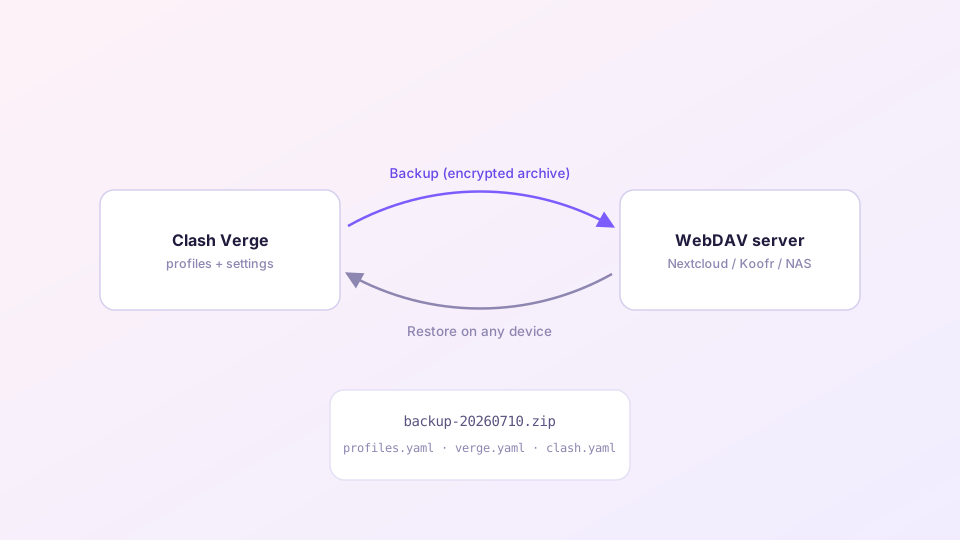
What a backup contains
Every backup packs: all profiles (subscription links plus current contents), app settings (toggles, hotkeys), Merge/Script enhancement files, and custom test URLs. It does not include the core binary or Geo databases — those re-download after a restore.
Sponsored Where does the subscription link come from? Our partner provider gives you 1 GB of high-speed Hong Kong data at signup — import it in one click. Get high-speed nodesStep 1: Get a WebDAV endpoint
Any of these works:
- Nextcloud (self-hosted or managed):
https://your-host/remote.php/dav/files/USERNAME/; - NAS: Synology's WebDAV Server package exposes
https://nas-address:5006/; QNAP is similar; - Koofr, InfiniCLOUD and several other consumer clouds offer WebDAV endpoints on free tiers.
Many providers require an app-specific password for WebDAV rather than your login password — generating one in the provider's security settings fixes the majority of 401 errors.
Step 2: Connect Clash Verge
Settings → Backup (the WebDAV icon). Three fields: server URL, username, password. Save, then hit Backup once — a timestamped archive should appear in your cloud storage. Seeing the file there confirms the setup.
Step 3: Restore on another device
Enter the same WebDAV details on the new install; the backup list populates from the server. Pick the newest archive, click Restore, restart the app — profiles, rules and settings are back. Platforms can differ: a Windows backup restores fine onto macOS or Linux.
Set expectations: backup, not sync
This is manual backup/restore, not live sync. The workable multi-device routine: make changes on your main machine, back up when done; restore on the others before relying on them. Think "cloud save file", not "Dropbox".
Connection troubleshooting
- 401 Unauthorized: wrong password, or the provider wants an app-specific one;
- Timeout: check the URL has its
https://prefix and trailing slash; self-hosted servers need the port open; if the WebDAV host sits behind the proxy, make sure the proxy is up first; - Backups succeed but the restore list is empty: the URL points at a different folder than the one you backed up to — the paths must match exactly.
Prefer not to use WebDAV? Copying the config folder by hand achieves the same migration — folder locations are listed in the update guide; the reinstall scenario is covered in clean uninstall and reinstall.