
Open the resource center
A task-based Clash / Mihomo resource center from dl-clash.org: release verification, platform choice, first run, configuration, and troubleshooting.
Clash Verge v2.5.8 · FlClash v0.9.1 · free & open source
No more all-or-nothing tunneling: rules decide what goes direct and what rides the proxy. Clash Verge on desktop, FlClash on Android — one subscription across every platform. Versions checked 2026-10-19: Clash Verge Rev v2.5.8 / FlClash v0.8.98.
Official releases checked 2026-10-19: Clash Verge Rev 2.5.8 / FlClash 0.9.1 / mihomo 1.19.32 / Clash Meta for Android 2.11.35. Existing mirror files may be older; check the downloaded package version.
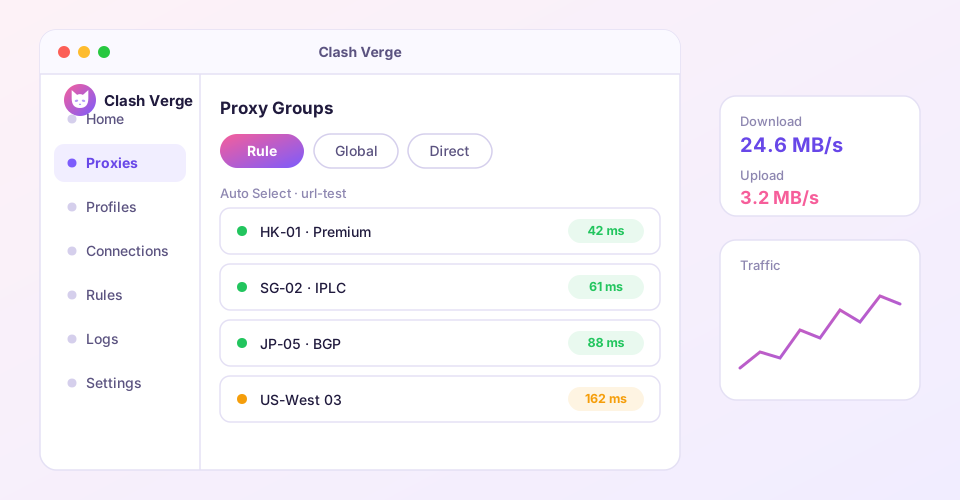
Pick the client for your device. Check the version number and SHA256 checksum before installing.
Current version v2.5.8
For Windows 10 / 11 on x64 and ARM64 devices.
Download nowCurrent version v2.5.8
For macOS 10.15 and later, Apple Silicon and Intel.
For macOSCurrent version v2.5.8
deb and rpm packages for the major distributions.
For LinuxCurrent version v0.9.1
For Android devices, arm64-v8a and armeabi-v7a builds.
For AndroidWhether you run Clash Verge or FlClash, the Mihomo (Clash Meta) core underneath delivers all of this out of the box.
Shadowsocks, VMess, VLESS, Trojan, Hysteria2, TUIC and more, with the core updated continuously.
Captures all TCP and UDP traffic — games, terminals and UWP apps go through the proxy too.
Multiple profiles, scheduled updates, Merge and Script enhancement without touching the original config.
Combine domain, GeoIP and process rules so local traffic stays direct and the rest goes through the proxy.
Built with Tauri: a small installer and a fraction of the memory an Electron app would take.
GPL-3.0 licensed and hosted on GitHub — every line of code is there to audit.
A few of the most-read guides — from installing and importing your subscription to fixing things when they break.
New to Clash Verge? This walkthrough covers the shortest path: install the app, import your subscription, pick a node and switch on the system proxy — connected in about five minutes.
Getting startedA complete Windows 10/11 install guide for Clash Verge: choosing the right installer, getting past SmartScreen, first-launch prompts, plus fixes for ARM devices and the blank-window issue.
Getting startedThe three ways to add a subscription to Clash Verge — pasting the URL, importing a local YAML file, and one-click deep links — plus auto-update intervals and multi-profile management.
FeaturesTurn on TUN mode in Clash Verge step by step: install Service Mode, flip the TUN switch, and understand the stack, DNS hijack and strict-route options — with platform notes.
TipsThe complete post-CFW migration path: recovering your subscription URLs, translating Mixin to Merge, a settings location map, and the right order to remove CFW.
TroubleshootingA systematic path through Clash Verge startup failures: blank window means WebView2, crashes point to antivirus or cache, and the Logs page names exactly what stops the core.
dl-clash.org · practical reference
Find the next step by platform, architecture, configuration, or symptom.
A task-based Clash / Mihomo resource center from dl-clash.org: release verification, platform choice, first run, configuration, and troubleshooting.
Continue reading
Continue reading