
The rule GEOIP,CN,DIRECT only works because the core carries an IP-to-country database; GEOSITE,google relies on a categorized domain list. Neither updates itself. Let them age and routing slowly drifts: fresh CDN ranges get misclassified, new domains miss their rules.
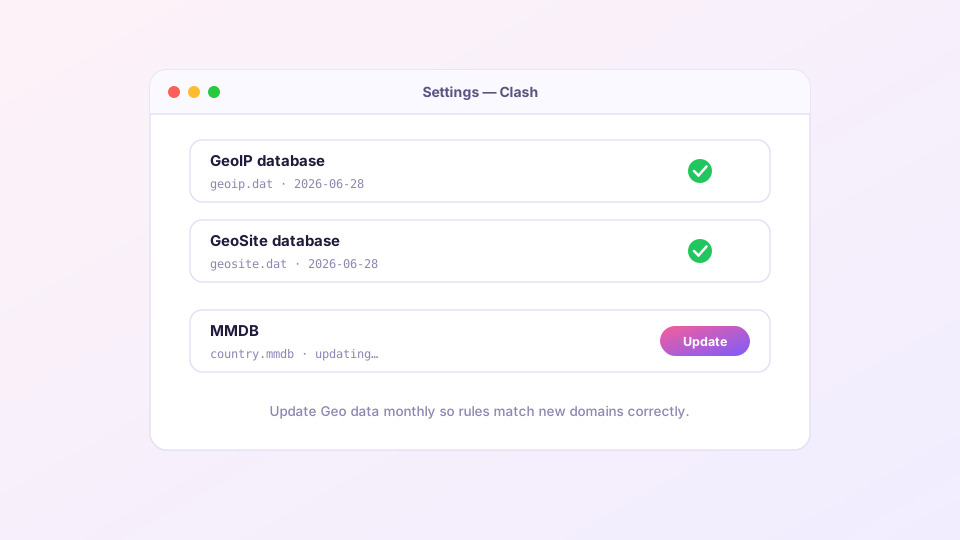
Where to update
Open Settings and find the Geo data update entry in the Clash core section. One click downloads fresh geoip.dat, geosite.dat and country.mmdb, then reloads the config automatically.
Monthly is a sensible cadence. Also make it your first move whenever routing looks off — "a local site suddenly goes through the proxy" is classic stale-Geo behavior.
Sponsored Where does the subscription link come from? Our partner provider gives you 1 GB of high-speed Hong Kong data at signup — import it in one click. Get high-speed nodesWhen the update fails
Geo files are hosted on GitHub Releases, so an unreachable GitHub is failure cause number one:
- Make sure the proxy itself is working before hitting update;
- Persistent failures: download manually from MetaCubeX/meta-rules-dat, drop the files into the Clash Verge config directory (Settings has an "open folder" shortcut), restart the core;
- Check free disk space — the files unpack to tens of megabytes and fail silently without room.
Where the data comes from, and pinning a source
Mihomo defaults to the MetaCubeX rule data (which builds on the v2fly community domain lists). To pin the source or use a mirror, declare it in your config:
geox-url:
  geoip: "https://fastly.jsdelivr.net/gh/MetaCubeX/meta-rules-dat@release/geoip.dat"
  geosite: "https://fastly.jsdelivr.net/gh/MetaCubeX/meta-rules-dat@release/geosite.dat"
  mmdb: "https://fastly.jsdelivr.net/gh/MetaCubeX/meta-rules-dat@release/country.mmdb"
Put this in a Merge file rather than editing the subscription — the how and why are in Merge enhancement.
How this relates to your rules
GEOIP,CN,DIRECTmatches by destination IP; it belongs near the bottom of the rule list;GEOSITE,category-ads-all,REJECTmatches by domain category — a cheap ad-blocking layer;- For your own rules, prefer
DOMAIN-SUFFIX/DOMAIN-KEYWORD— faster to match and easier to reason about; keep Geo rules as the catch-all. Syntax in the custom rules guide.
If routing behaves strangely right after a Geo update, the core probably did not fully reload — restart Clash Verge once and it settles.