
The log says listen tcp 127.0.0.1:7897: address already in use, or the system proxy toggle bounces back off — same disease: something else grabbed Clash's port first. Three steps to locate it, two ways to fix it.
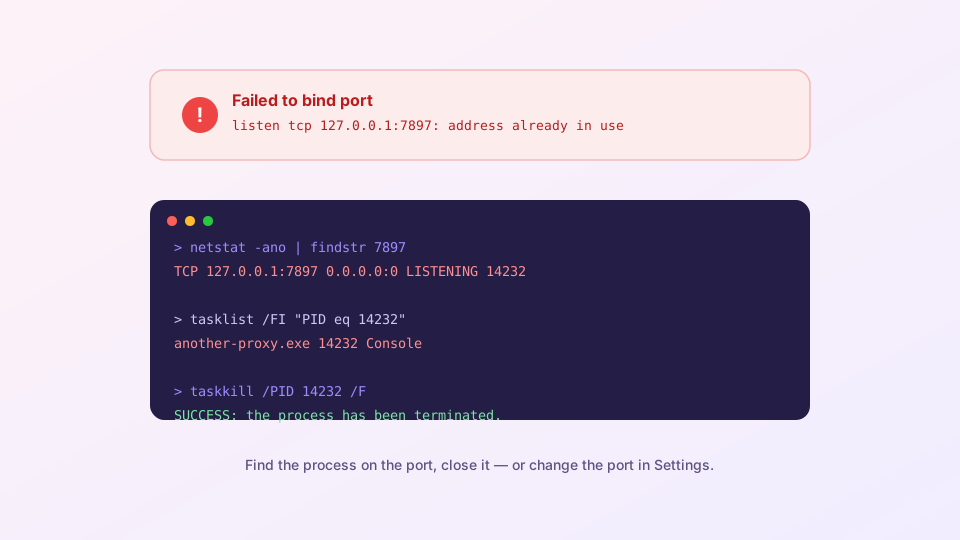
Step 1: Identify the squatter
Windows — open a command prompt:
netstat -ano | findstr 7897The last column is the PID (say 14232). Name it:
tasklist /FI "PID eq 14232"macOS / Linux get it in one shot:
lsof -i :7897Step 2: Decide who moves
Case A: it is another proxy app
The most common finding. Clash for Windows, v2rayN and friends use neighboring default ports; running two at once guarantees a collision. Fully quit the other one — check the tray, they linger there — then restart Clash Verge. Long-term, one proxy client per machine is the sane setup; ex-CFW users have a migration guide.
Case B: it is a leftover verge-mihomo process
A previous session did not exit cleanly and the old core still owns the port. Task Manager (Ctrl+Shift+Esc) → find verge-mihomo → end it, then relaunch. Or from the command line:
taskkill /IM verge-mihomo.exe /FCase C: it is legitimate software you need
Do not kill it — move Clash instead. Next step.
Step 3 (optional): Move Clash Verge to another port
Settings → Port settings → change the mixed port from 7897 to something obscure like 17890. The core restarts on save. Two ripple effects to remember:
- The system proxy follows automatically — nothing to do there;
- Anything configured by hand must be updated: browser extensions, terminal environment variables, and any LAN devices pointing at this machine.
Preventing round two
- Uninstall proxy clients you no longer use — especially ones that autostart and re-grab the port at boot;
- Download managers and local dev servers occasionally land on 7897 by chance; parking Clash on an uncommon port ends the lottery;
- If the port error comes with a repeatedly restarting core, the port may not be the whole story — continue with startup troubleshooting.