
Clash Verge is a desktop app; without X or Wayland it will not start. The core, however, is a plain command-line program, and running it directly does everything the desktop build does on your behalf.
Four steps to a working service
- Download the archive for your architecture from the mihomo release page (check with
uname -m), extract it, make it executable and put it at/usr/local/bin/mihomo. - Create a working directory at
/etc/mihomoand place your config asconfig.yaml. The file from your desktop works as is; client-specific fields are simply ignored by the core. - Write the service unit below.
systemctl daemon-reload && systemctl enable --now mihomo.
[Unit]
Description=mihomo daemon
After=network-online.target
Wants=network-online.target

[Service]
Type=simple
ExecStart=/usr/local/bin/mihomo -d /etc/mihomo
Restart=on-failure
RestartSec=3

[Install]
WantedBy=multi-user.target
If you need TUN, add AmbientCapabilities=CAP_NET_ADMIN rather than running the whole service as root.
With no window, the log is everything
journalctl -u mihomo -f follows the log live. A malformed config makes the core exit and print the offending line, which is more direct than hunting through a GUI. When the service will not start, look here first — the answer is usually one line.
For more detail, temporarily set log-level to debug in the config and put it back to info afterwards. Debug output is voluminous and will fill a small disk if you leave it on.
Using it and managing it
Command-line tools on the same box need environment variables, as described in proxying the terminal:
export https_proxy=http://127.0.0.1:7897
export http_proxy=http://127.0.0.1:7897
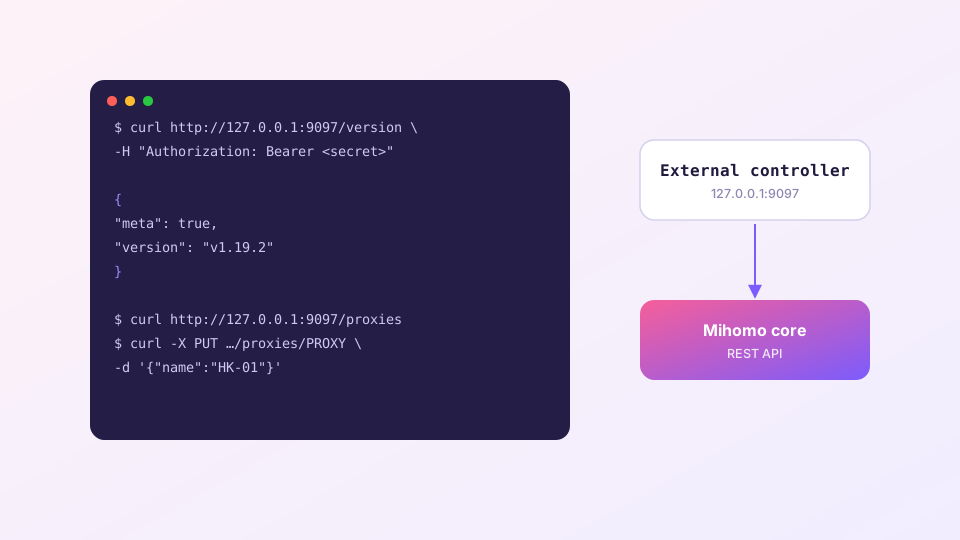
To drive it from a dashboard, do not bind external-controller to 0.0.0.0. Keep it on 127.0.0.1:9097 and bring the port to you over SSH when you need it:
ssh -L 9097:127.0.0.1:9097 user@your-serverThen point a local dashboard at 127.0.0.1:9097. What the API can do is covered in the external controller guide.
external-controller: 0.0.0.0:9097 with a weak secret publishes control of your core to the internet. Scanners find that within hours.
Automating subscription updates
No client means no scheduled refresh, so cron does it: fetch the subscription over the existing config, then restart the service. A restart drops every live connection, so run it when nobody is using the box — 4 a.m. is the usual answer.
Validate before you swap: mihomo -t -d /etc/mihomo parses the config and reports errors. Only overwrite and restart if it passes, otherwise one bad subscription puts the service into a restart loop. If you would rather tune the config on a desktop first and move it over, start from the Linux install guide.