
You pasted the link, hit Import, and got a red error line. Hold off on reinstalling anything — import failures cluster around a handful of causes, and the error text tells you which one you have.
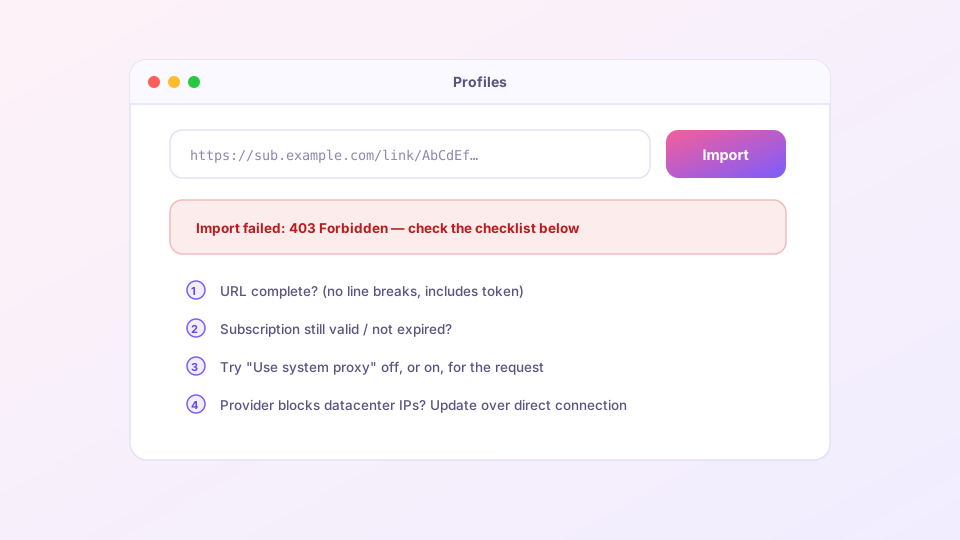
Match the error to the cause
| Error | Cause | Fix |
|---|---|---|
403 Forbidden | Server refused the request | Subscription expired or quota exhausted (check the provider dashboard); or the provider blocks your current IP — see "update via proxy" below |
404 Not Found | Dead link | The provider moved domains; re-copy the link from their dashboard |
timeout | Subscription server unreachable | Domain blocked locally — tick "Update via proxy"; no proxy available yet? See the bootstrap section |
invalid yaml / parse error | Response is not a Clash config | Wrong format copied — you need the Clash link, not V2Ray/Base64; or the URL got truncated, re-copy it whole |
401 Unauthorized | Bad token | The token parameter is missing or mangled; copy the complete link again |
"Update via proxy" works both ways
Right-click the profile card → "Edit info" → the Update via proxy toggle controls whether the subscription request itself rides the tunnel:
- Provider domain blocked locally (timeouts, resets) → turn it ON and fetch through an existing node;
- Provider blocks datacenter IPs (403s) → turn it OFF and fetch over your home connection;
- Trying both positions is the universal first move for update problems.
The bootstrap problem: first import, no working proxy
Blocked subscription domain plus no proxy yet equals deadlock. Three exits:
- Tether the computer to a phone hotspot — mobile networks often block differently;
- Ask the provider for a backup subscription domain; most maintain several;
- Have the provider send the raw
config.yamland use the local-file import to get online, then switch back to the URL with proxy updates on.
Import succeeded, zero nodes
The request worked; the content is wrong. Usually the link was a generic multi-client subscription rather than the Clash-specific one (look for the "Clash" label in the dashboard), or the provider's config generator hiccuped (retry in a few minutes, then file a ticket).
Worked yesterday, dead today
All profiles suddenly failing to update points at the provider — a domain rotation or a fresh block. Check their announcements page before touching local settings. Also worth a look: whether Clash Verge itself needs updating — old cores throw parse errors on config fields newer subscriptions include.
Treat the provider dashboard's "reset subscription link" button as a last resort: the old link dies instantly, and every device you own needs the new one.