
The same config that works at home falls over at the office or in a dorm. Restricted-network failures almost all fall into four buckets. Work through them in this order — it beats randomly editing the config.
One thing before you start: most schools and companies have a written acceptable-use policy for their network. This page is about diagnosing technical failures, not about working around those rules.
1. The login portal will not open
Networks where joining the Wi-Fi means logging in through a browser first — campus, hotels, guest office SSIDs. If the proxy or TUN is on, the portal page itself gets pushed into the tunnel and simply spins forever.
The fix is dull: turn off system proxy and TUN, authenticate, turn them back on. If that gets old, add the portal domain and the gateway subnet as direct rules so you never have to toggle anything.
Sponsored Where does the subscription link come from? Our partner provider gives you 1 GB of high-speed Hong Kong data at signup — import it in one click. Get high-speed nodes2. Internal DNS hijacking
The symptom is resolution that is visibly wrong: some domains land on internal addresses, others come back as an ad page. Enterprise and campus networks intercept DNS as a matter of course.
TUN plus fake-ip pulls DNS queries into the core, but leave an escape hatch for internal names or your intranet portal and file shares stop resolving. Use nameserver-policy in the dns block to send internal suffixes back to the internal resolver while everything else goes encrypted. Syntax in DNS settings and leak protection.
3. Only 80 and 443 are allowed
Plenty of corporate egress filters allow nothing else. It looks like this: the subscription updates fine over 443, but not a single node connects and every latency test times out.
- Pick nodes whose port is 443, preferring TLS-based protocols.
- Providers usually offer several entry ports — switch to a 443 relay in the panel.
- If 443 itself is being inspected, changing protocol or port sometimes helps and sometimes does not. There is no guarantee here; if a couple of attempts fail, stop digging.
4. Intranet traffic must go direct
Turn the proxy on and the intranet portal, printers, file shares and internal Git all crawl or break, because their traffic is being shipped overseas too. Add your internal ranges and domains as direct rules:
prepend-rules:
  - DOMAIN-SUFFIX,corp.example.com,DIRECT
  - IP-CIDR,10.0.0.0/8,DIRECT,no-resolve
  - IP-CIDR,172.16.0.0/12,DIRECT,no-resolve
  - IP-CIDR,192.168.0.0/16,DIRECT,no-resolve
Swap in your own domain. Append it through Merge so a subscription update does not wipe it; rule syntax is in the custom rules reference.
Two more things that trip people up
Security software owns the port. Managed corporate laptops often run endpoint agents; when 7890 or 7897 is taken the core cannot start. Move to another port following the port conflict guide.
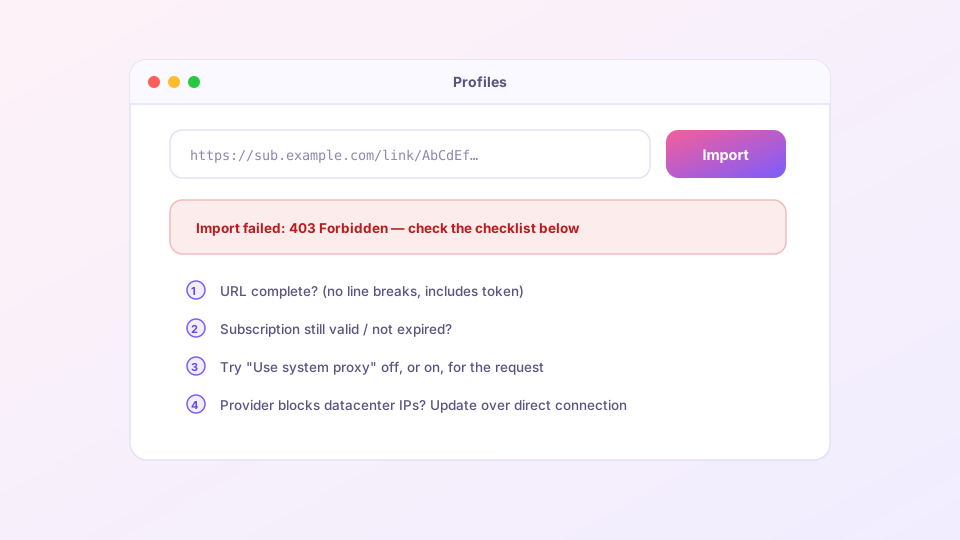
The subscription will not download at all. On a restricted network that is frequently the first failure. Update once over a phone hotspot to get the node list, then come back and find one that works; match the error code against subscription import failures.