
The classic version of this problem: the GitHub page loads fine, but clicking the asset gives you 40 KB/s or a dead connection, because release files are served from a separate download domain. Sometimes the whole site is unreachable instead. Both are solvable, and both end at the same place: verifying against the official hash.
First, work out which failure you have
- Page loads, download crawls or dies: only the asset domain is throttled. A different time of day, a different network, or one of the mirrors below is usually enough.
- Page does not load either: the whole domain is blocked. Now you cannot even read the hash, so the first job is getting one look at the release page — mobile data, a friend, a screenshot.
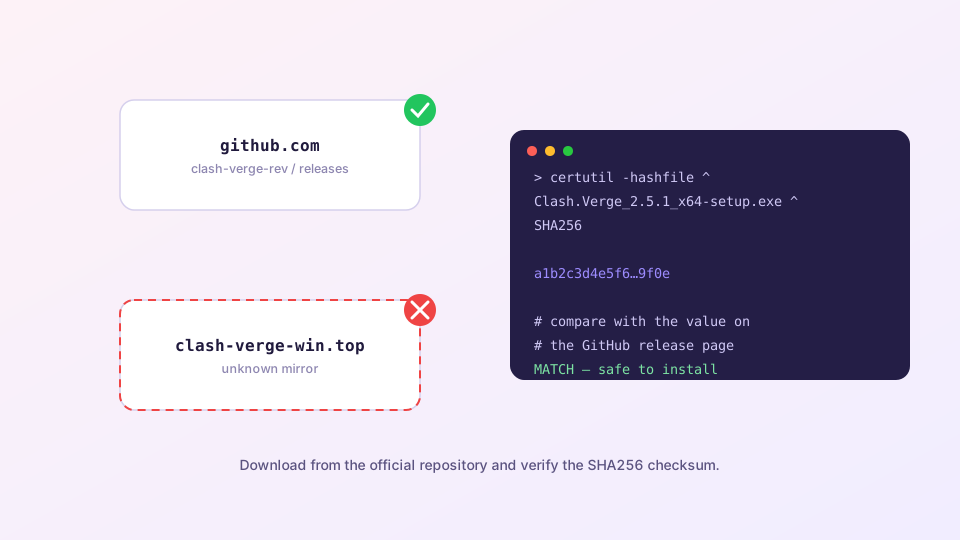
Write down the version number and SHA256 from the official release page before anything else. Whatever route the file arrives by, compare against those values. A hash published by a mirror proves nothing — it is the hash of the mirror's copy.
Four alternative routes
- System package managers. Try
winget search clashon Windows,brew search clashon macOS, or the AUR on Arch. Check the publisher or maintainer field before installing — most entries are community-maintained, which is not the same as official. - GitHub mirror front-ends. You paste the asset URL after the mirror's prefix and download through it. Speed is usually fine, but your download passes through a third party, so the verification step is not optional.
- This site's download channel. The download page offers a direct route you can use when GitHub is unreachable.
- Copy from someone else. A colleague already has the installer; a USB stick and a matching hash is all you need. Low-tech, and the most reliable of the four.
Verification is one command
- Windows:
certutil -hashfile FILENAME SHA256 - macOS:
shasum -a 256 FILENAME - Linux:
sha256sum FILENAME
It passes only if the output matches the release page character for character. If it does not, delete the file and fetch it again — do not talk yourself into "close enough". The full phishing-site checklist is in spotting official installers.
Two things that come with the territory
The Geo databases stall too. The geoip.dat and geosite.dat files your rules depend on are fetched from the same kind of endpoint. Update them once while a proxy is working, or switch the source — see updating the Geo database.
Stay away from repacks. Clash Verge Rev is free, open source and already localised, so a "portable cracked enhanced" build has no reason to exist. Whatever was added is not there for your benefit.